Know why the AWS bill moved, and what to do about it
BunBunCloud prices every resource from the public AWS price list, records it every day, and shows what changed, who owns it and what you can safely turn off.
Read-only by design. No agents, no write permissions, no infrastructure changes.
What gets in your way today
The bill went up and nobody knows why
The invoice says what you paid, not which resources changed or who changed them.
Cost without owners
Most of the spend belongs to “someone in engineering”. Without owners, nobody acts.
Savings that never happen
Recommendations pile up without the context engineers need to act: is it production, what depends on it, how risky is it?
Commitments by guesswork
Reservations and Savings Plans bought on instinct, then left unused or not renewed in time.
From the same read-only inventory
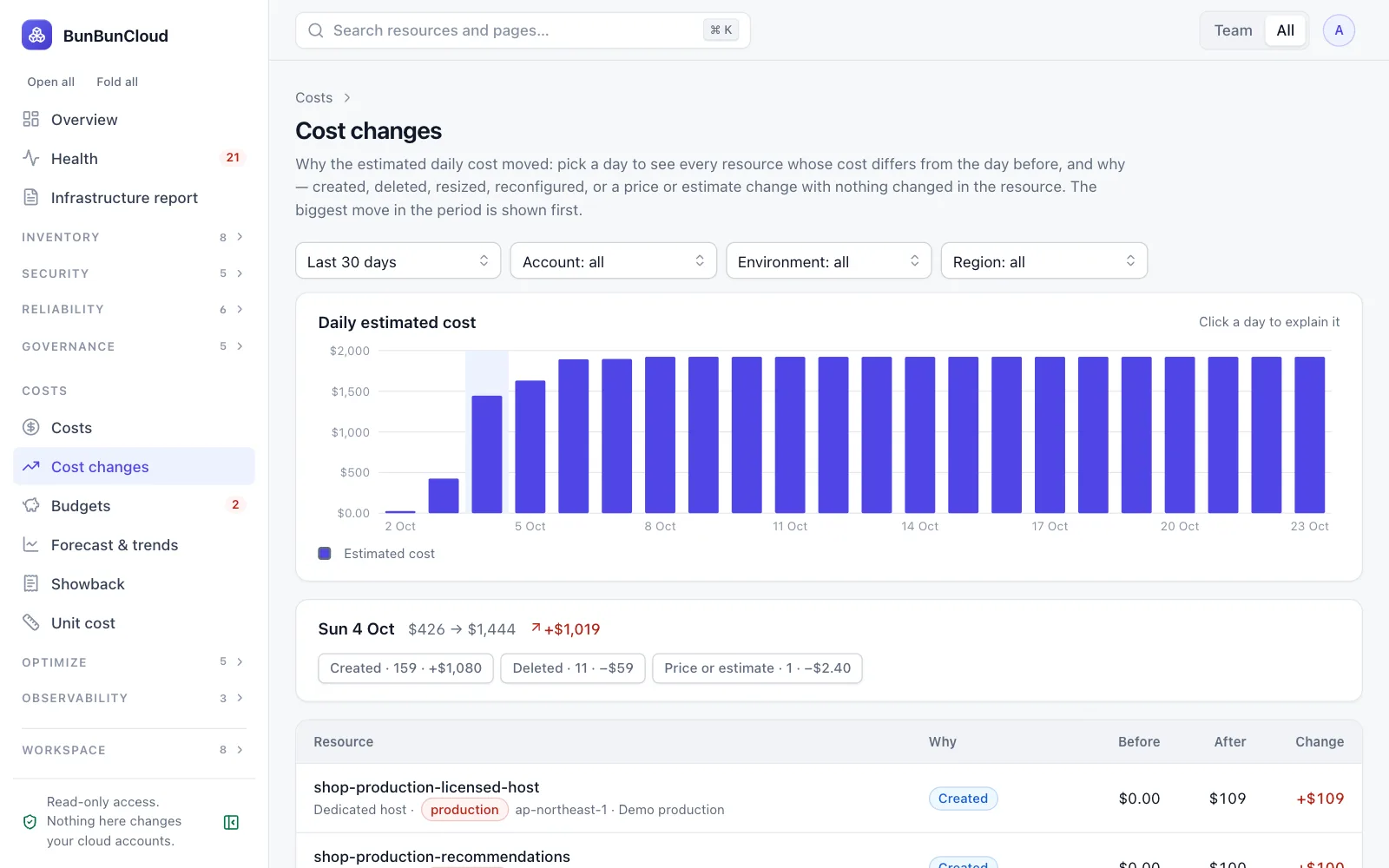
Cost changes, resource by resource
The daily estimated total and, for any day, each resource that moved it: created, deleted, resized, reconfigured or repriced, linked to the version that changed.
- Day-by-day history from the first scan
- The biggest move picked for you
- Forecast for the month and the year
Savings with their risk
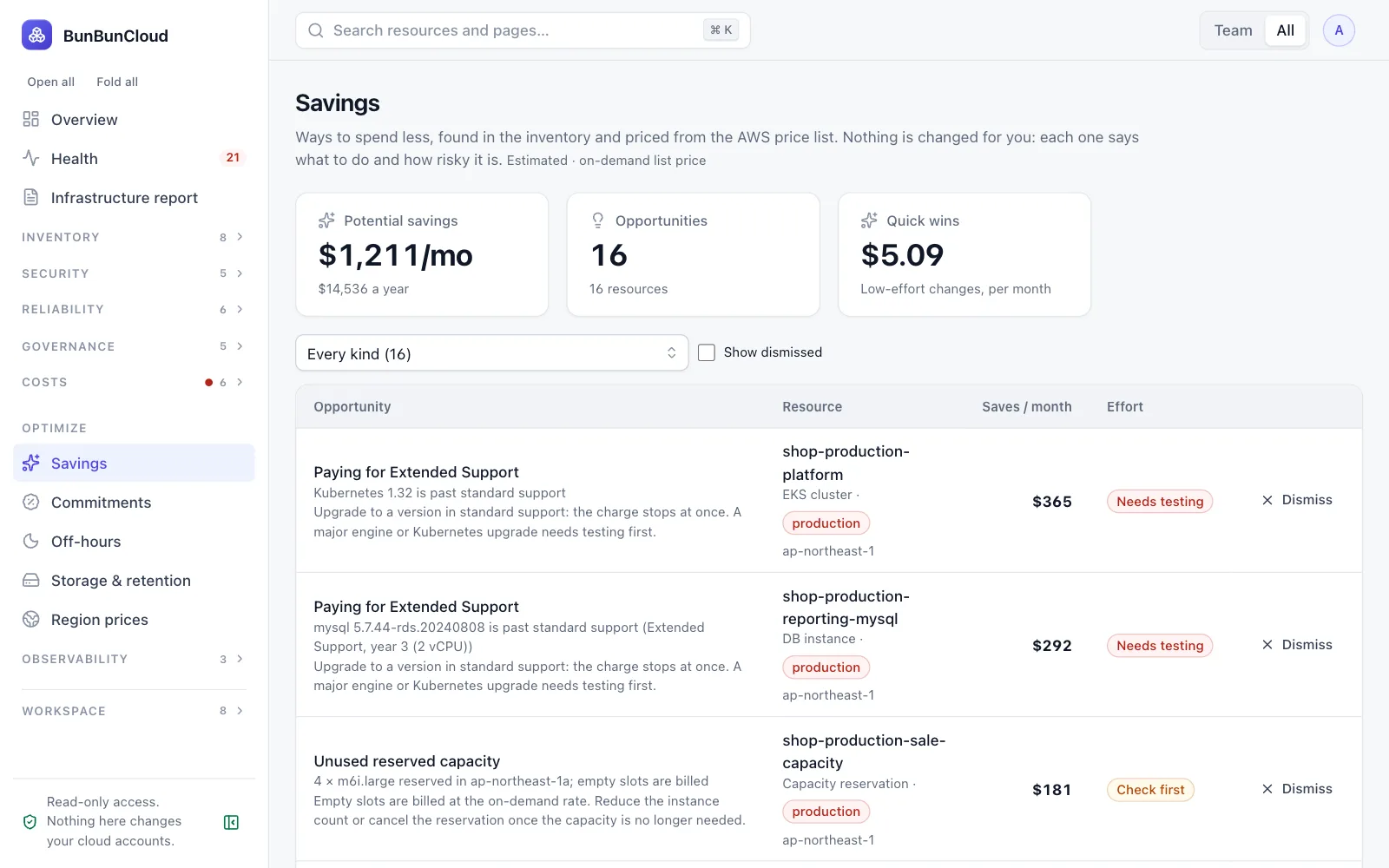
Savings, idle and orphaned resources and off-hours schedules, each with its monthly amount, effort and what to check first. Dismissed ones keep a reason.
- Unattached volumes, unused IPs, gp2 volumes that could be gp3
- Non-production that can sleep at night
- Unused reservations and Savings Plans
Showback and budgets per team
Cost per team for the run-rate, this month or last month, with unowned spend called out. Budgets reuse the inventory filters and warn before they are crossed.
- Teams own what their selection, assignments and stacks give them
- Budgets with thresholds and a forecast
- Commitment coverage and utilisation
What the assessment shows you
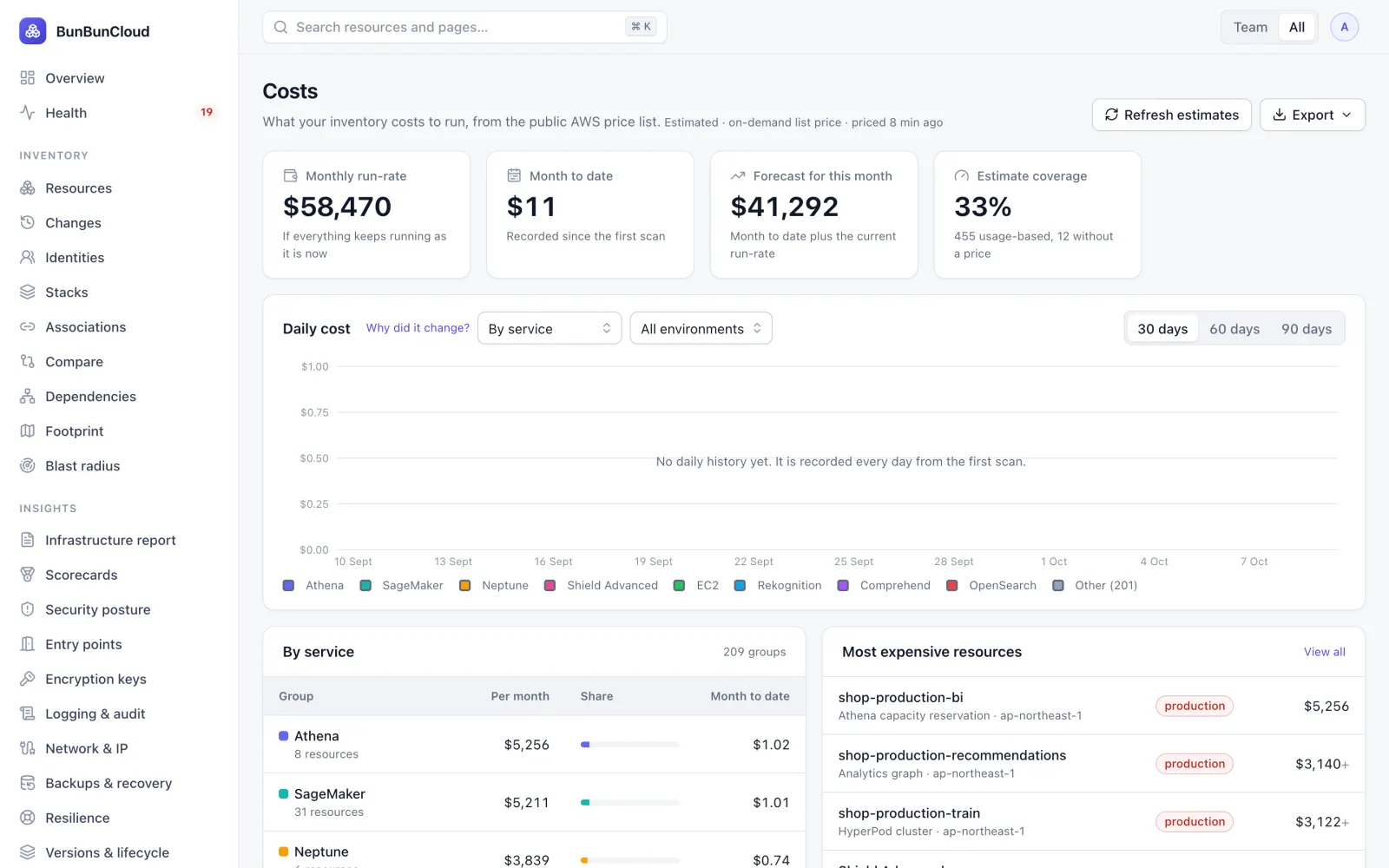
- Your estimated monthly run-rate, by service, account and environment
- The resources driving most of it
- Savings opportunities with their monthly amount
- Spend no team owns
See what you will get
The infrastructure report of our demo environment, names masked: footprint, health, drift, costs and savings.
Growth
Costs, cost changes, budgets and savings come with Free. Team adds idle and orphaned resources and the other insights. Growth adds showback, forecasts, commitments, off-hours, storage, unit cost and region prices.
What FinOps & finance ask us
Are these our actual costs?
No: they are estimates from the public AWS price list and each resource’s size, minus the discount you set per account. Usage-based charges are never shown as zero; they are labelled. Your AWS invoice remains the reference.
Do you read Cost Explorer or the CUR?
Not today. The only billing read is AWS Budgets, shown next to the estimates and never added to them.
Can engineers act on the savings?
Yes. Each saving links to the resource with its dependencies, owners and environment, and task automation can open a ticket for the owning team.
How do we split shared costs?
A resource several teams own is split evenly between them, so the teams and “No team” always add up to the total.
Explore by role
Know your AWS infrastructure in 10 minutes
Connect a read-only role. Get the infrastructure report: what you run, what is unhealthy, where environments differ and what it costs. Free, no commitment.