Know your AWS infrastructure in 10 minutes
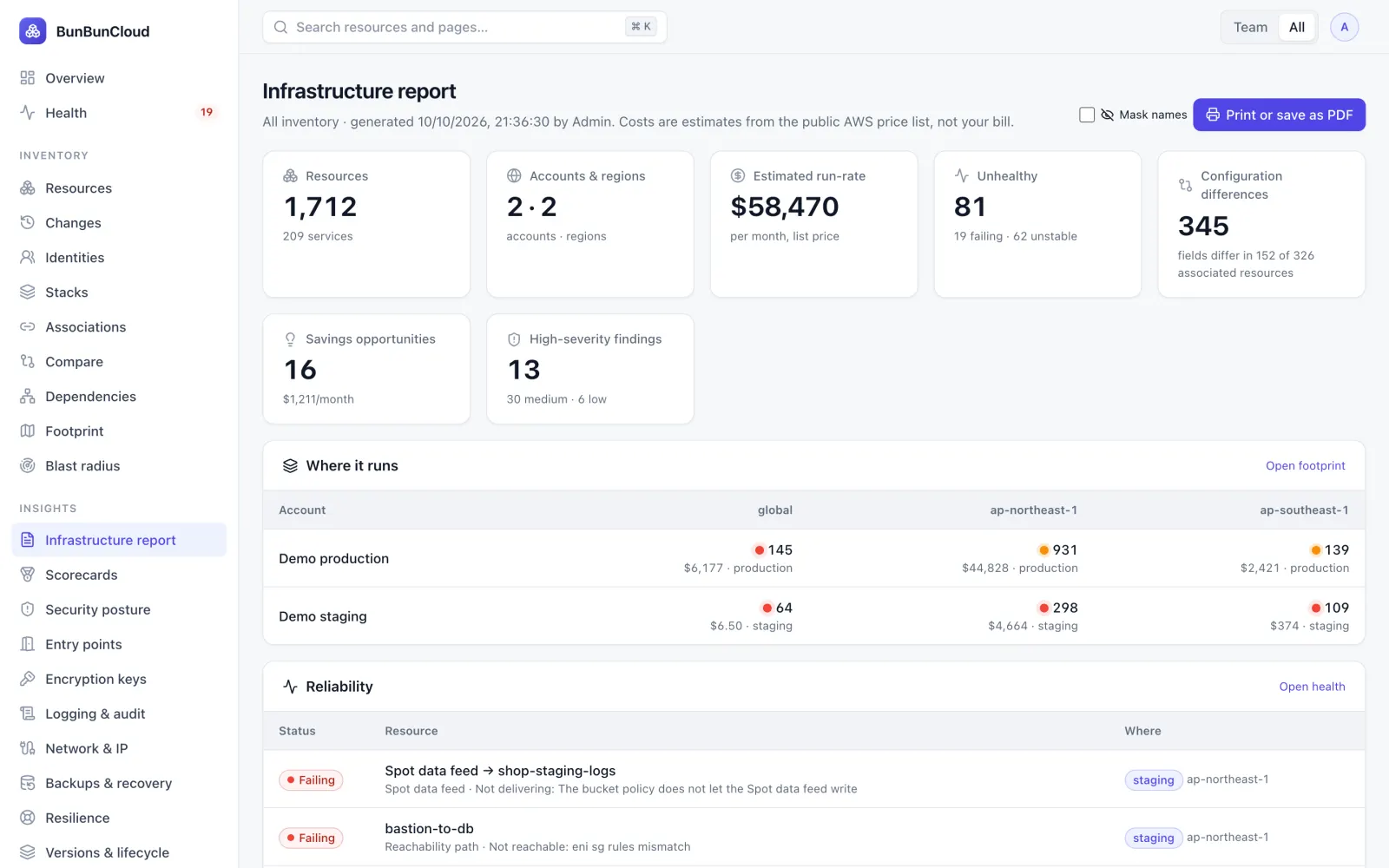
Connect read-only access. You get an infrastructure report on what you run, what is unhealthy, where environments differ and what it costs.
What the report covers
Infrastructure
- Resources discovered
- Accounts and regions
- Environments and main services
Reliability
- Failing and unstable resources
- What each one reports
- High-severity security findings
Cost
- Estimated monthly run-rate
- Largest cost drivers
- Obvious waste and savings
Configuration
- Staging vs production differences
- Resources missing a counterpart
Architecture
- Where everything runs, per account and region
One page you can share internally
The report prints or saves as a PDF. Names and accounts can be masked before you pass it on. This sample uses our demo environment.
How it works
Request
Tell us a little about your setup below. We reply by e-mail with the next steps.
Connect read-only
Create the role from our generated template. List, Describe and Get calls only; no agents.
Get the report
About 10 minutes after connecting, depending on the size of your accounts.
Keep it
Print the report or save it as a PDF, with names masked if you want. Delete the role afterwards, and we delete the data.
Questions
What access do you need?
A read-only IAM role in each account you want assessed: List, Describe and Get calls only. You can review the policy before deploying it and revoke the role at any time.
What do you read?
Resource configuration, never contents: no secret values, messages, logs or database data. See Security.
What happens to the data afterwards?
It is deleted once you have your report, unless you continue with a plan. Remove the role and nothing more can be read.
Is it really free?
Yes. If it is useful, we will talk about a paid pilot; if not, you keep the report.