Find the broken link in minutes, not console tabs
When production misbehaves, you need what exists, what depends on what, what is unhealthy and what changed. BunBunCloud keeps all four up to date, from one read-only role.
Read-only by design. No agents, no write permissions, no infrastructure changes.
What gets in your way today
Incidents start with a scavenger hunt
The first twenty minutes go to finding which load balancer, target group or database is involved, across accounts and regions.
Diagrams are always out of date
The architecture diagram was right the day it was drawn. Onboarding someone means a guided tour of the console.
“It worked in staging”
Environments drift field by field: an instance class, a parameter, a missing alarm. Nobody sees it until production fails.
Every change is a leap of faith
Before touching a shared resource, nobody can say with confidence what depends on it.
From the same read-only inventory
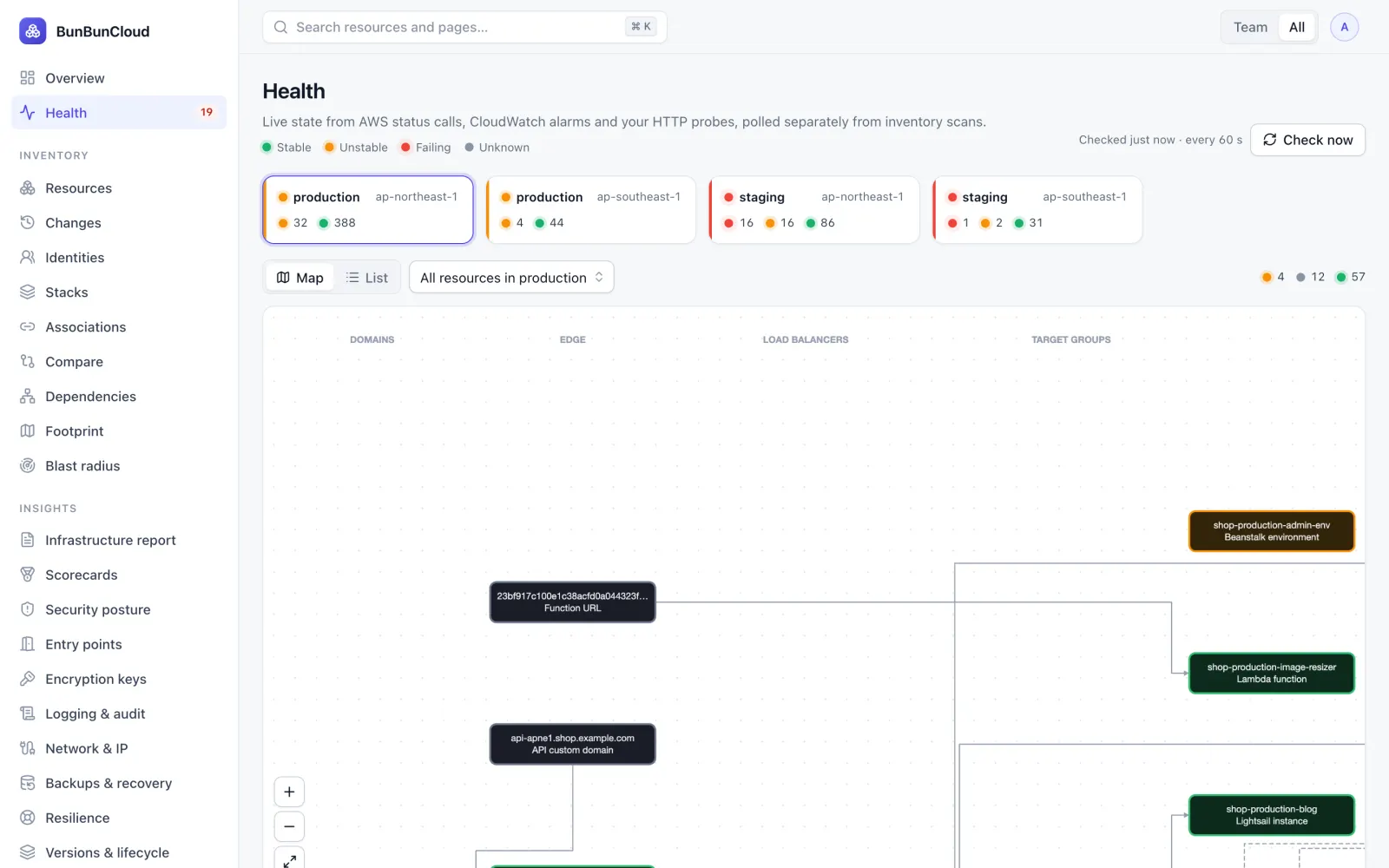
Health along the request path
Health is checked every minute from AWS status, CloudWatch alarms and the probes you add, and drawn left to right from DNS to the data. The failing component stands out, with what changed on it.
- Green, orange, red and unknown: unknown is never shown as green
- Flapping resources marked as unstable
- Your third-party services declared and probed
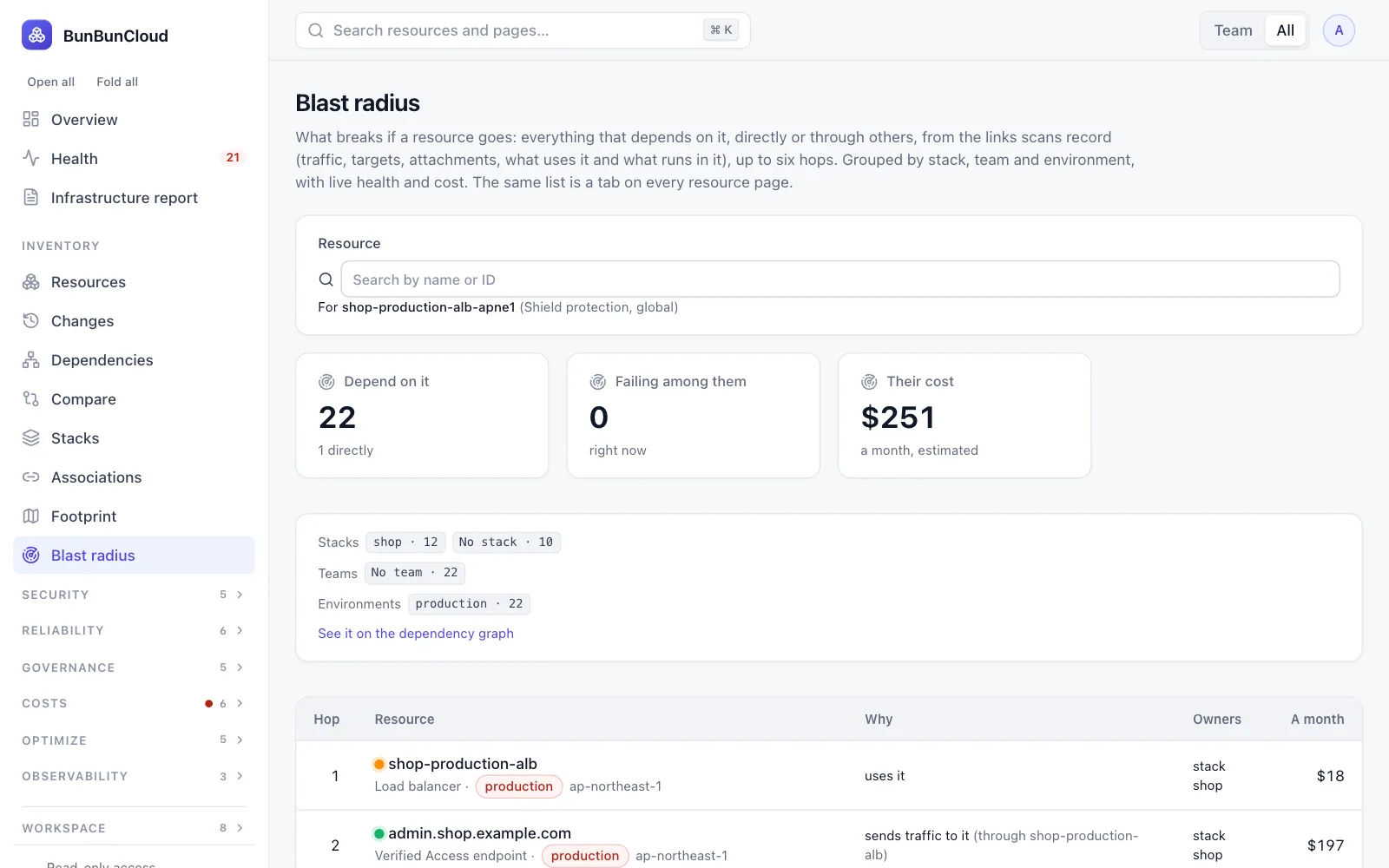
Know what breaks before you change it
Blast radius follows the dependencies backwards from any resource, up to six hops, with health, cost and owners. Dependencies are drawn as an AWS-style architecture diagram that stays current.
- Architecture view by region, VPC and subnet
- Every dependent, grouped by stack, team and environment
- Changes feed with the fields that changed
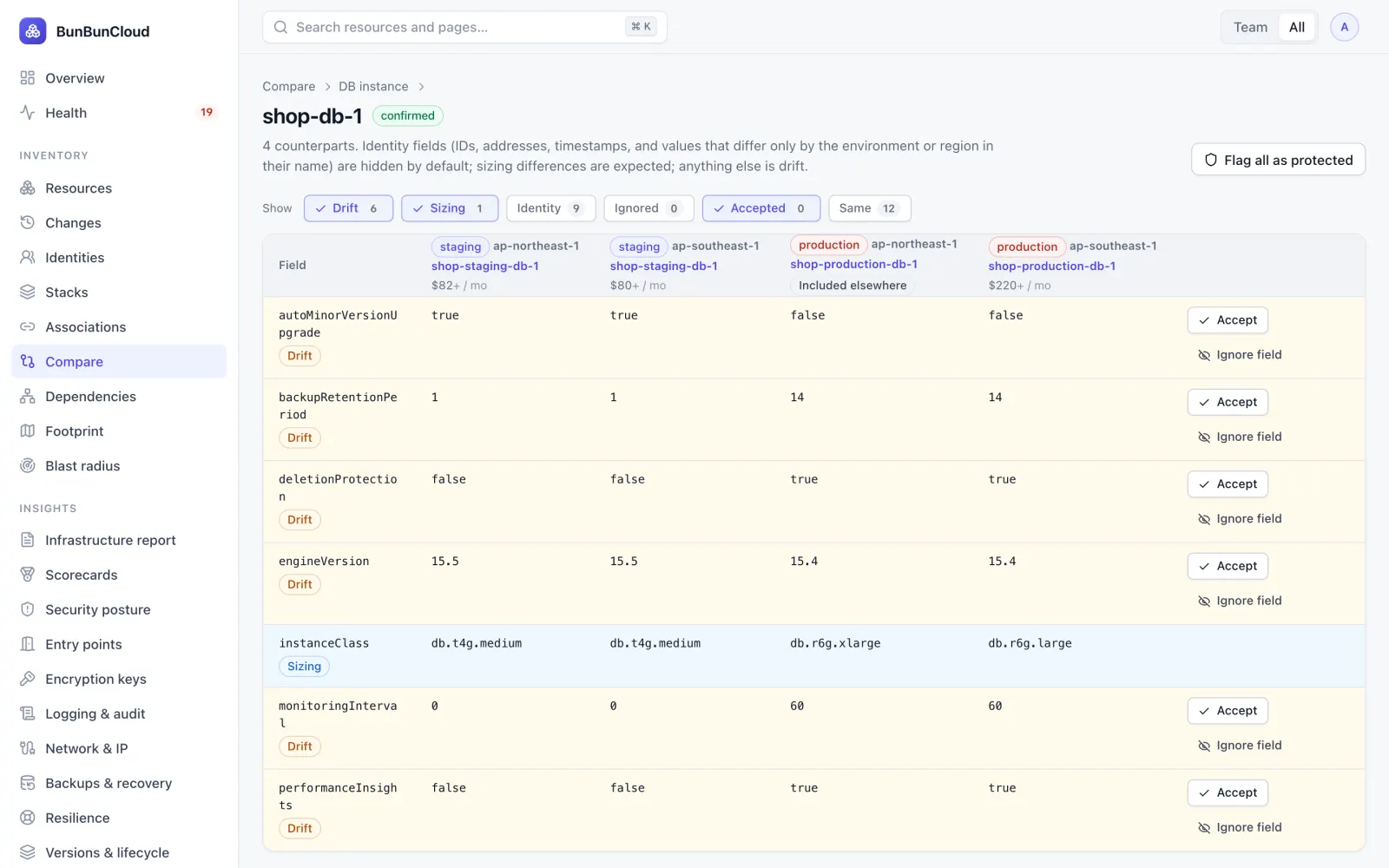
Drift between environments, field by field
Associate staging and production counterparts and compare them. Differences that only follow the environment’s name are ignored; accepted ones keep a reason.
- Comparison matrix per stack and environment
- Accepted differences with who accepted them and why
- Monitoring coverage and SLOs with Observability (Growth)
What the assessment shows you
- What fails or is unstable now, with the request paths it sits on
- Configuration differences between your environments
- Single points of failure in production
- Resources with no owner
See what you will get
The infrastructure report of our demo environment, names masked: footprint, health, drift, costs and savings.
Team or Growth
Health, dependencies, blast radius, changes and comparison come with every plan. Team adds every insight (resilience, backups, versions, quotas, network). Growth adds Observability: monitors, SLOs and incidents from your tools, with coverage.
What Platform & SRE ask us
Does it replace our monitoring?
No. It reads your CloudWatch alarms and, on Growth, your monitoring tools (Datadog, Grafana, Prometheus and others) to show coverage and state next to the inventory. Your alerting stays where it is.
How fresh is the inventory?
Scans run on the schedules you set (hourly or daily on Free, custom on paid plans) and on demand. Health is polled every minute between scans.
Which AWS services are covered?
Several hundred resource types across the AWS catalog. The catalog page in the app shows, service by service, what is collected.
Can we see it across many accounts and regions?
Yes. Each connection is one account with its regions; the inventory, maps and comparisons span them all.
Explore by role
Know your AWS infrastructure in 10 minutes
Connect a read-only role. Get the infrastructure report: what you run, what is unhealthy, where environments differ and what it costs. Free, no commitment.