Walk into every client meeting knowing their AWS
The first days of an engagement go to discovery. With a read-only role, BunBunCloud inventories the client’s accounts and gives you the report, the diagrams and the savings to talk about.
Read-only by design. No agents, no write permissions, no infrastructure changes.
What gets in your way today
Discovery eats the budget
Days of console screenshots and spreadsheets before you can say anything useful.
Clients want proof, not opinions
Recommendations land better with the resources, costs and risks behind them.
Access is a hard sell
Clients are rightly wary of handing write access to a third party.
Keeping up after the audit
Once the engagement runs, you need to see what changes between your visits.
From the same read-only inventory
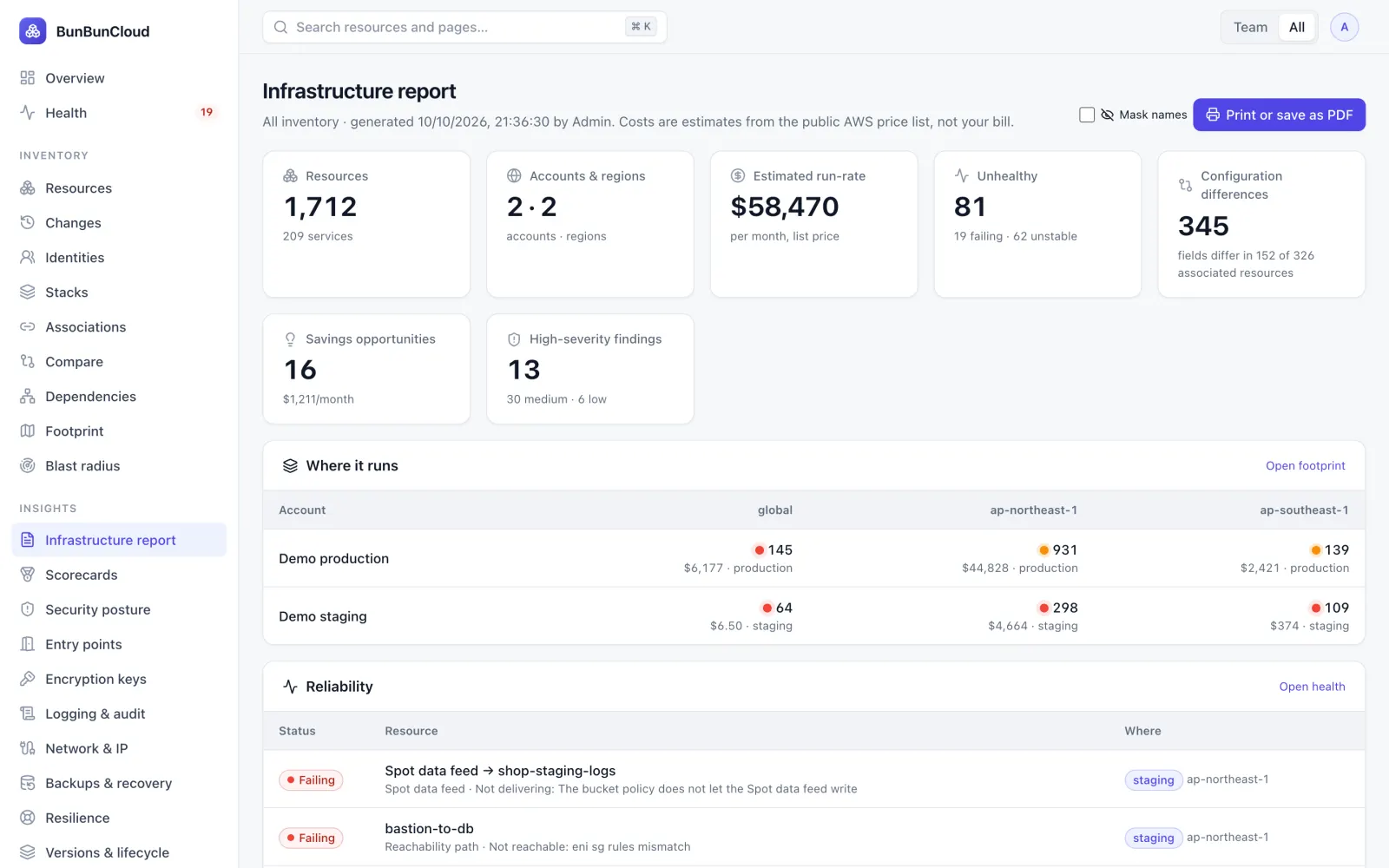
A deliverable from day one
The infrastructure report covers footprint, health, drift, cost drivers and savings on one page, ready to print or save as PDF. “Mask names” replaces resource and account names when it leaves the client.
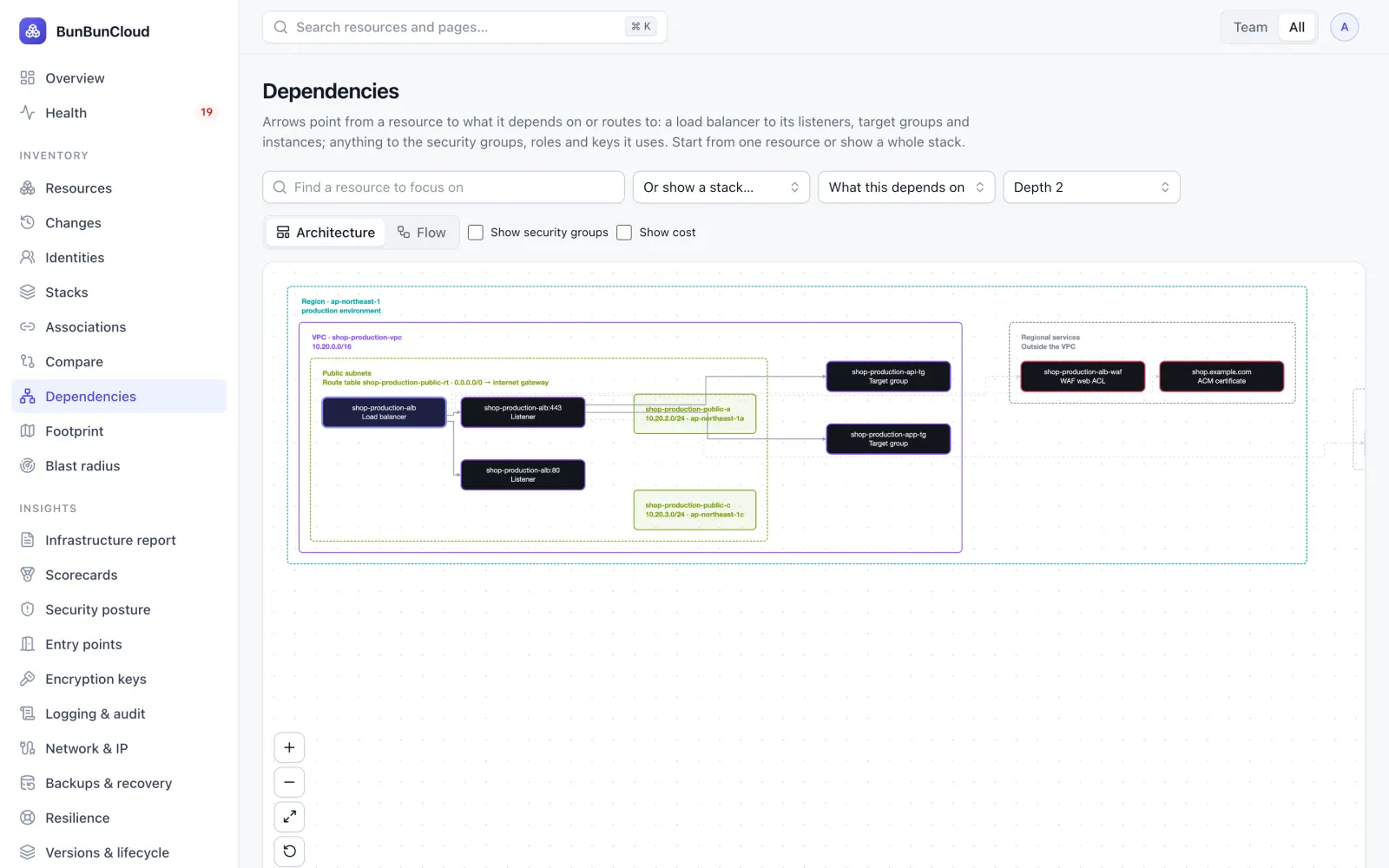
- Architecture diagrams per region and VPC
- Savings with amount, effort and risk
- CSV and JSON exports of the inventory
Read-only, provably
The client creates a read-only role from a template generated from exactly the calls BunBunCloud makes. No agents, no write permissions, and the external ID is unique to each connection.
- Policy split into managed policies that fit AWS limits
- Nothing stored from object contents, secrets or logs
- Every export audited
Follow the client over time
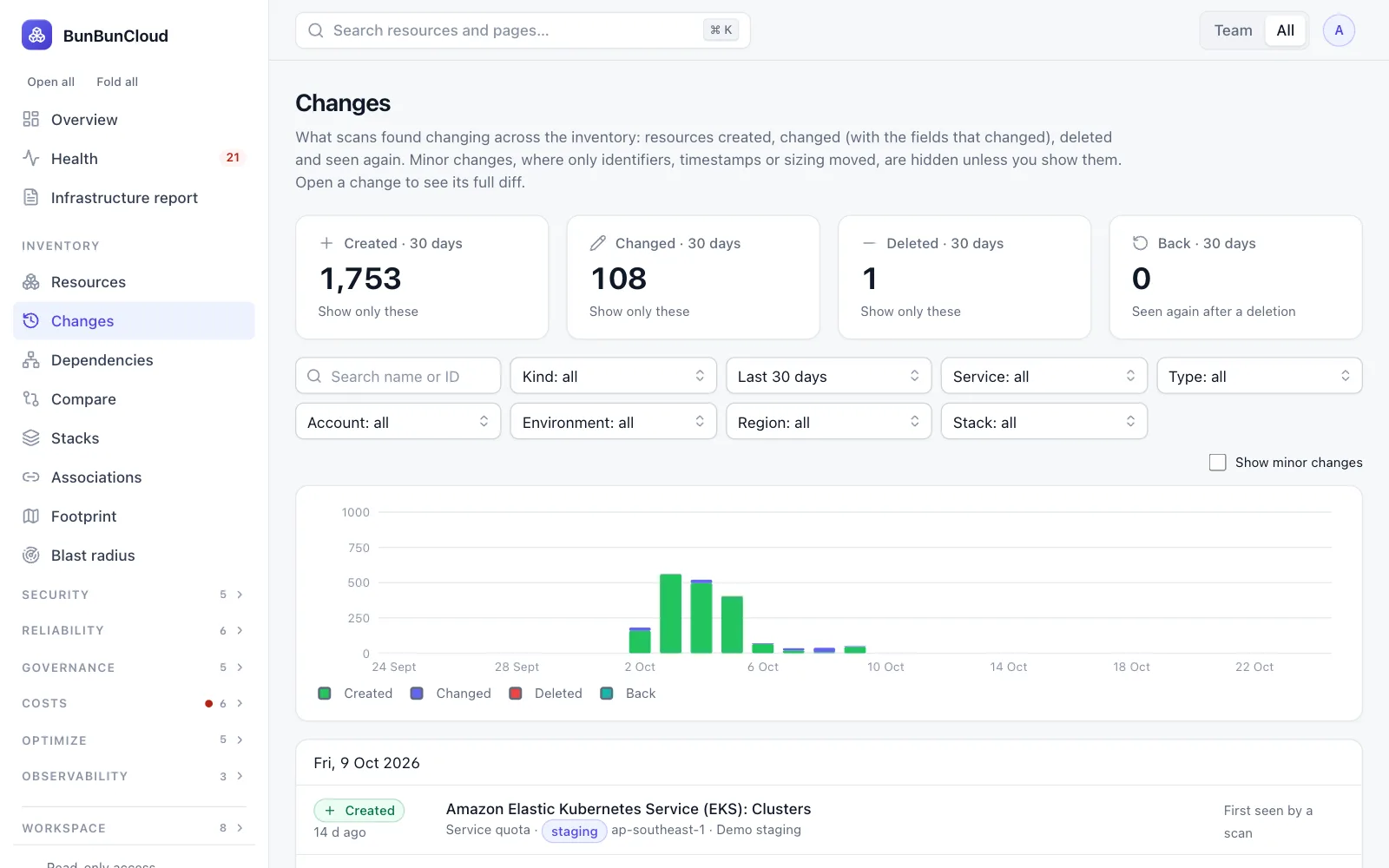
Scheduled scans keep the inventory current; the changes feed, budgets and digests show what moved between your reviews.
- Daily or weekly e-mail digests
- Changes with field-level diffs
- Budgets and forecasts
What the assessment shows you
- A complete inventory of the accounts you connect
- Health, drift and single points of failure
- Estimated costs and savings
- A report you can share, names masked
See what you will get
The infrastructure report of our demo environment, names masked: footprint, health, drift, costs and savings.
Team or Growth, per client
Each client is its own workspace, on the plan that fits its number of AWS accounts (3 on Team, 15 on Growth). An e-mail address belongs to one workspace, so use a client-specific address for each.
What Consultants & MSPs ask us
Can I manage several clients from one login?
Not today: each client is a separate workspace, and an e-mail address belongs to one workspace. Use one address per client engagement.
Can the client keep it after the engagement?
Yes. The workspace and its data belong to the client; you can hand over administration and leave.
Can I white-label the report?
No. The report shows the product’s name; names inside it can be masked for sharing.
Is self-hosting possible?
On Scale, we can run a dedicated instance, or the client runs BunBunCloud in its own AWS.
Explore by role
Know your AWS infrastructure in 10 minutes
Connect a read-only role. Get the infrastructure report: what you run, what is unhealthy, where environments differ and what it costs. Free, no commitment.