Know what you run, what it costs and where the risk is
Your teams build fast and AWS grows faster. BunBunCloud gives you one honest picture of the whole estate, every week, without asking anyone to fill in a spreadsheet.
Read-only by design. No agents, no write permissions, no infrastructure changes.
What gets in your way today
Nobody has the whole picture
Every team knows its corner. The question “what do we actually run, and why?” takes a week of meetings and still misses things.
The bill grows faster than the product
AWS costs rise month after month, and the explanation arrives late, in a spreadsheet, without a clear owner.
Risk you only hear about in an incident
Single points of failure, public resources and missing backups stay invisible until the day they matter.
Scaling the team, not the toil
You want reliability and visibility without hiring more people to keep a CMDB up to date.
From the same read-only inventory
One page for the whole estate
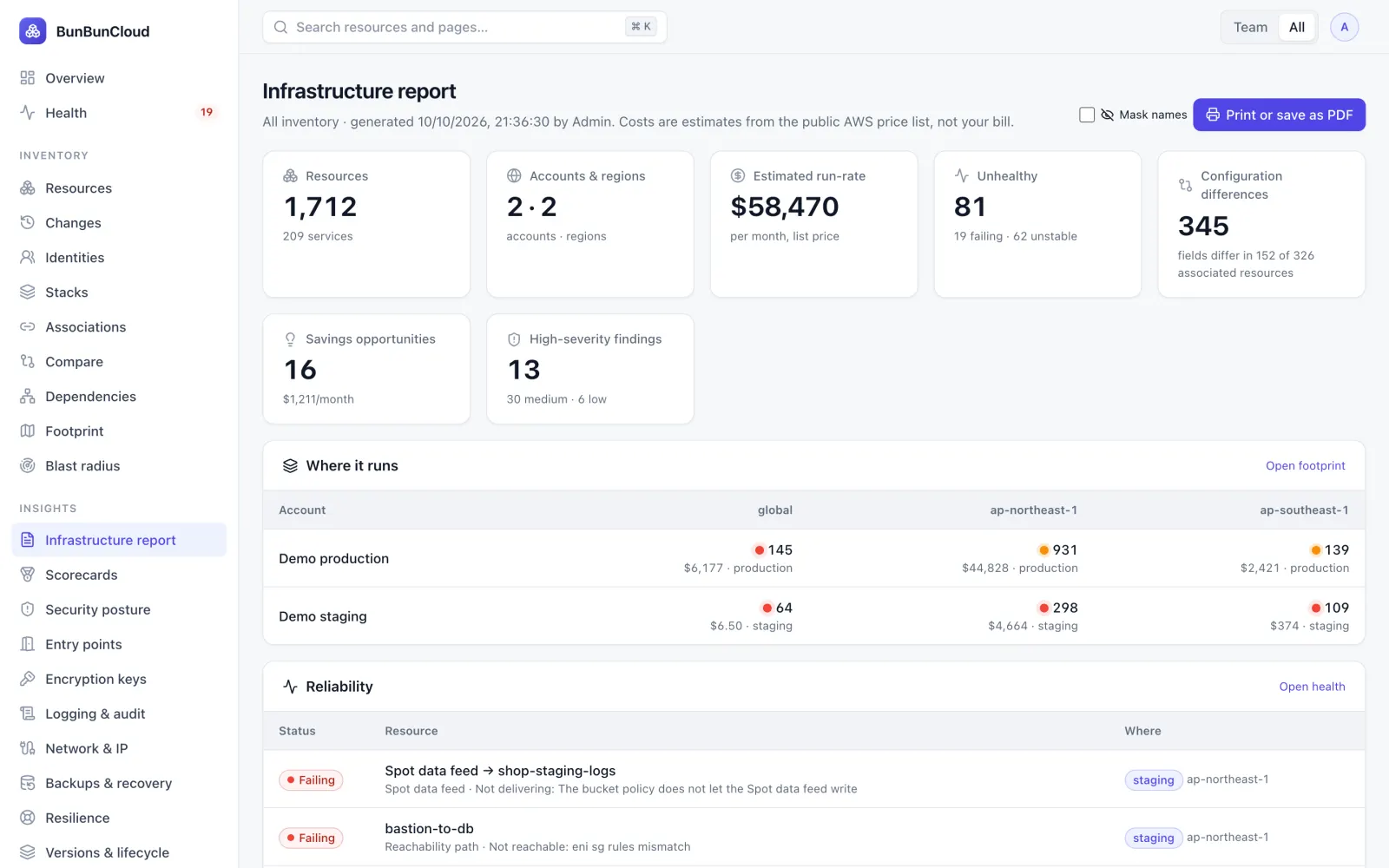
The infrastructure report puts resources, health, configuration drift, estimated run-rate and savings on a single page you can print or share, with names masked when it leaves the company.
- Footprint of accounts and regions, with cost and health per cell
- Top cost drivers and savings, estimated from the public AWS price list
- Refreshed by every scan: no manual upkeep
Accountability by team
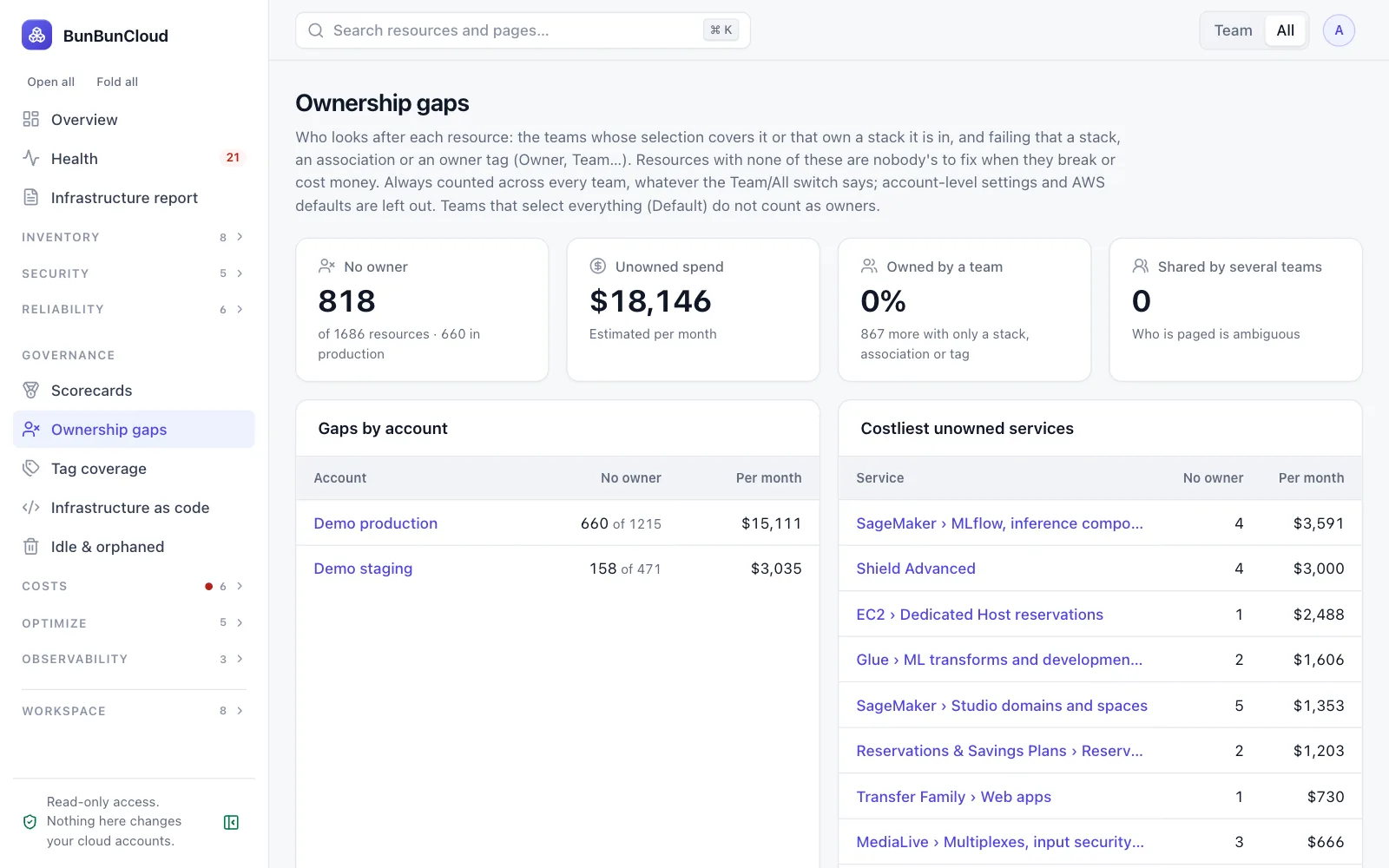
Scorecards give each team and stack a score for security, backups, resilience, tagging, logging, cost hygiene and health, with a 12-week trend. Ownership gaps show what nobody looks after.
- One score per team and per stack, with the formula shown
- Resources with no owner, and their monthly cost
- Showback: what each team’s resources cost
Cost you can explain
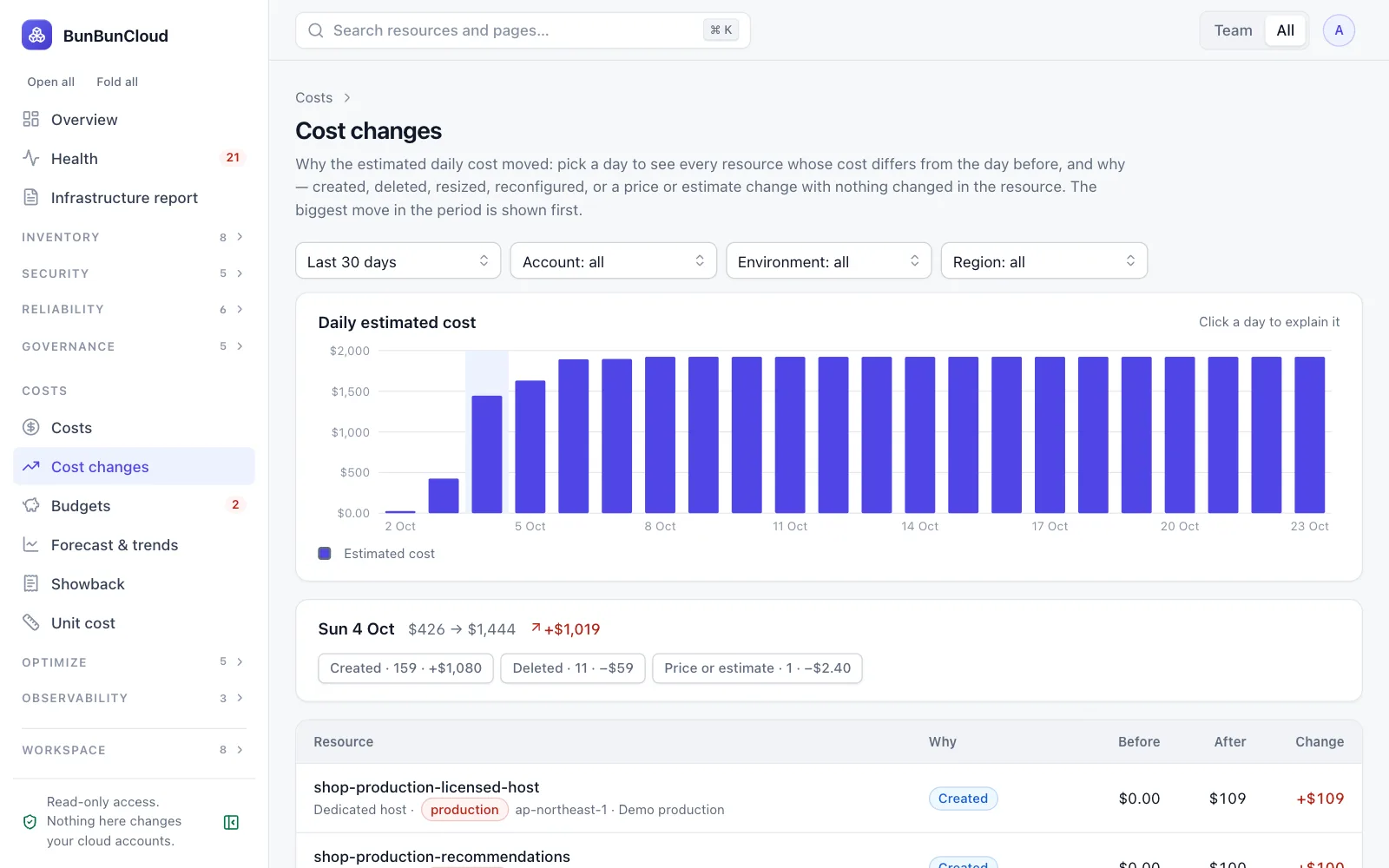
Cost changes show which resources made the daily total move, and why: created, deleted, resized or reconfigured. Forecasts and budgets say where the month will land.
- Day-by-day changes, resource by resource
- Budgets with alerts, and a forecast for the month
- Savings with their effort and risk
What the assessment shows you
- The size and shape of your estate: accounts, regions, services and resources
- What is failing or unstable right now
- Where staging and production differ
- Your estimated monthly run-rate, its main drivers, and savings
See what you will get
The infrastructure report of our demo environment, names masked: footprint, health, drift, costs and savings.
Growth
Showback, forecasts and commitments come with Growth, which covers up to 15 AWS accounts. Start on Free with the report, scorecards, posture and basic costs, and move up when it proves its worth.
What CTO / VP Engineering ask us
Do we need to install anything?
No. You create a read-only IAM role with the CloudFormation template or policy we generate. There are no agents and nothing runs in your accounts.
Can BunBunCloud change our infrastructure?
No. It reads configuration through read-only permissions and never writes to your cloud, tags included.
How fast do we see results?
The first scan runs as soon as the role is connected. The free assessment is designed to give you the report in about 10 minutes.
Are the costs our real bill?
They are estimates from the public AWS price list and your resources’ sizes, labelled as such. They explain where money goes; your AWS invoice stays the reference.
Explore by role
Know your AWS infrastructure in 10 minutes
Connect a read-only role. Get the infrastructure report: what you run, what is unhealthy, where environments differ and what it costs. Free, no commitment.