What you run, how it connects, what is wrong and what it costs
BunBunCloud sits underneath your application monitoring and above the raw AWS APIs. It reads every account with a read-only role and answers four questions.
What do we have?
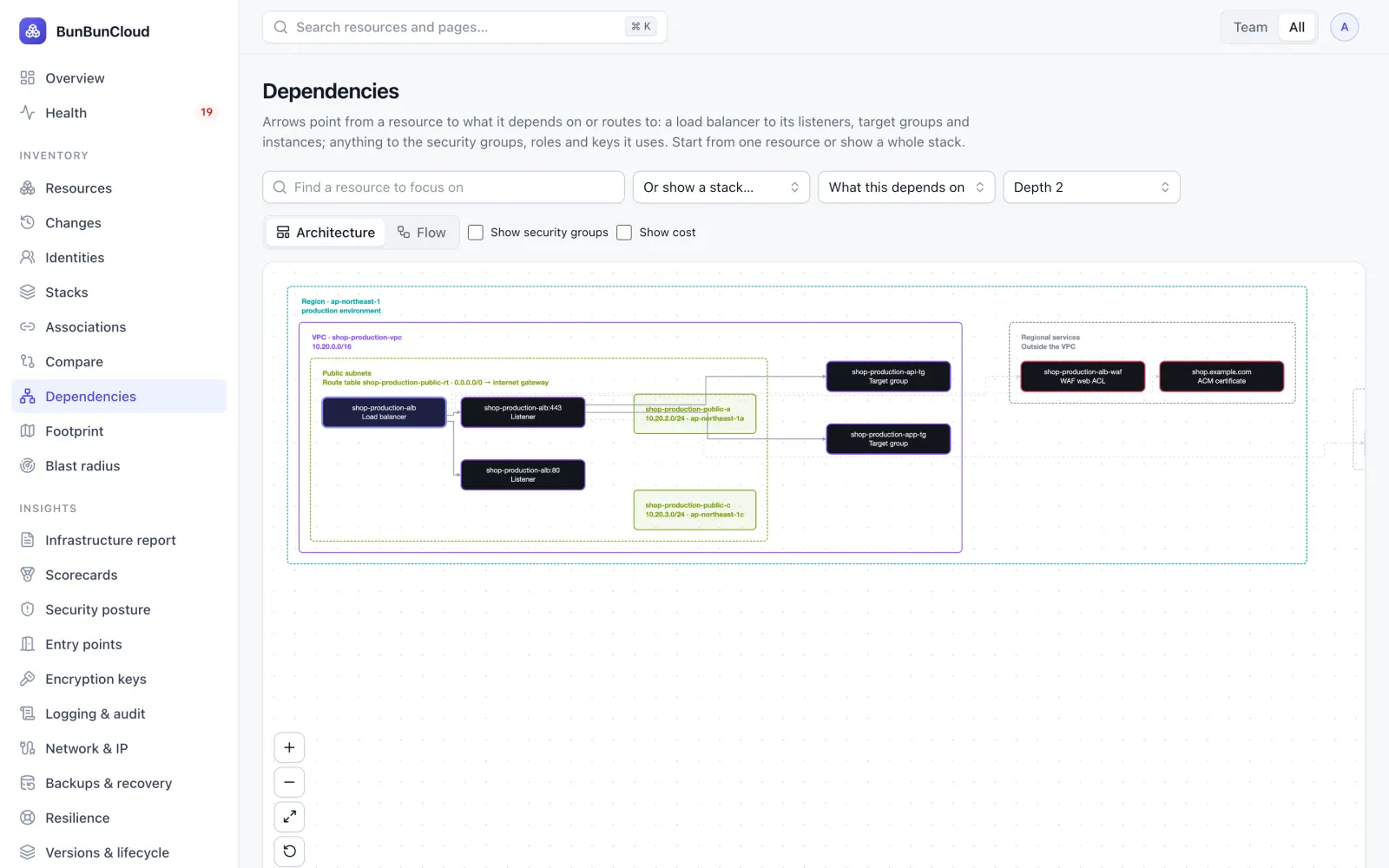
An accurate map of your AWS infrastructure, built automatically and kept current.
- Every account and region, over 500 resource types, searchable and exportable
- Architecture diagrams: regions, VPCs and subnets around load balancers, compute, data, roles and keys
- Blast radius: everything that depends on a resource, before you change it
- A footprint per account and region that flags forgotten regions
- What changed and when, and which resources Terraform or CloudFormation manage
Is it working?
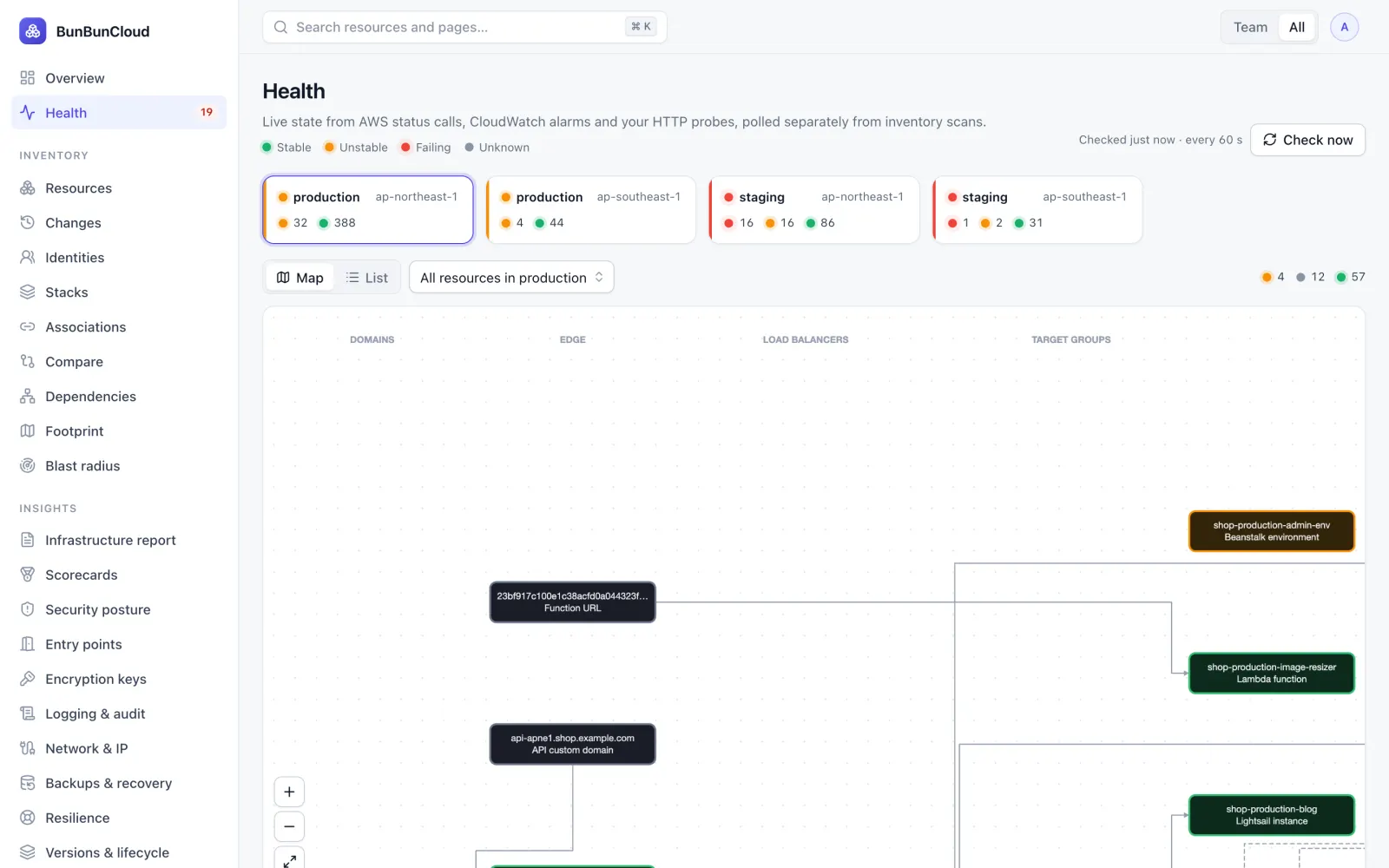
See what is unhealthy and trace the request path to the problem.
- Health every minute from AWS status calls, CloudWatch alarms and HTTP probes you add
- A map from domains and CDN through load balancers and compute to databases and queues
- Flapping shown as unstable; a check that fails is grey, never green
- Third-party APIs you depend on, linked to the resources that call them
Is it configured correctly?
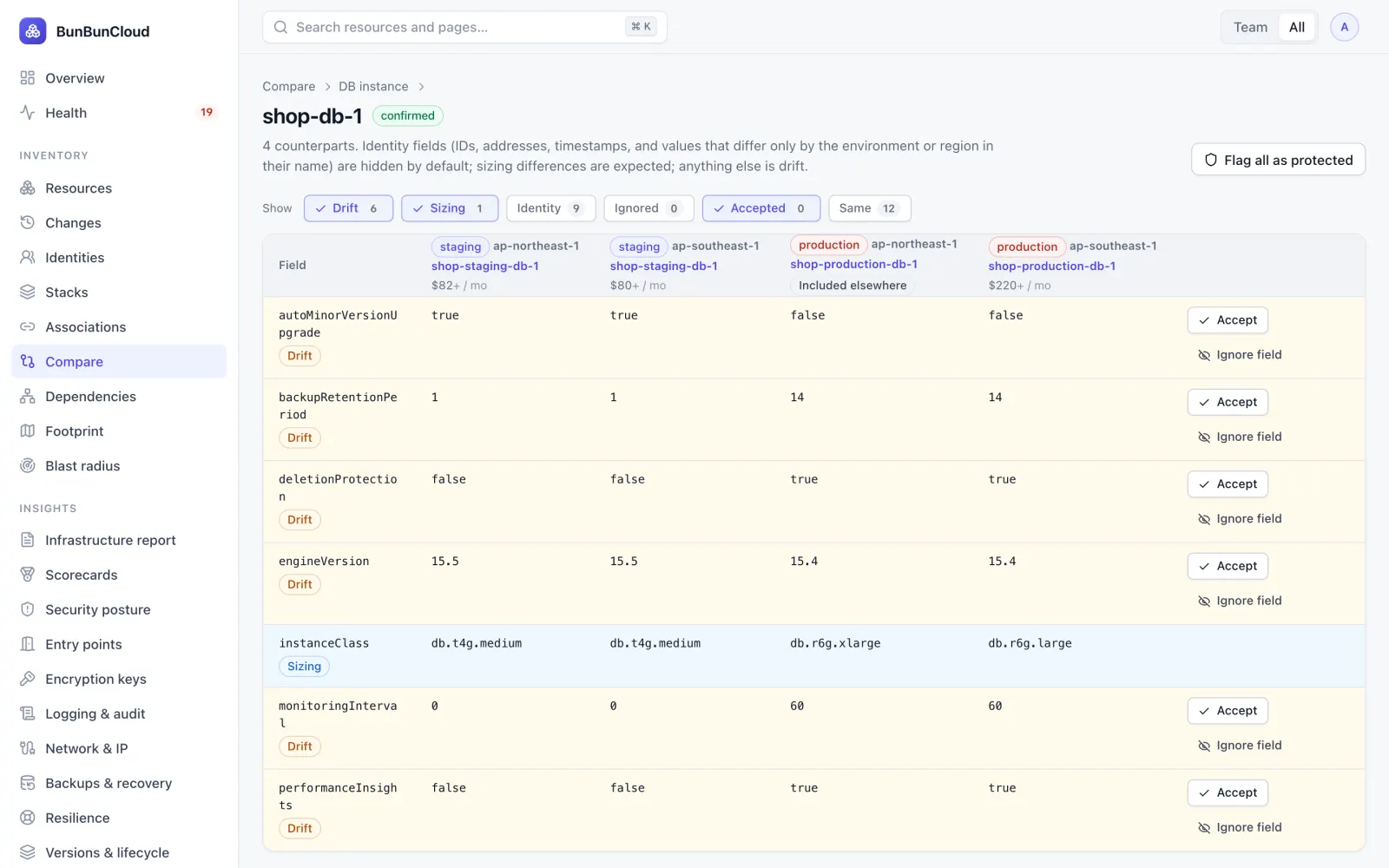
Compare staging and production and find the configuration drift that matters.
- Counterparts across environments and regions suggested for you, confirmed by you
- Field-by-field comparison; IDs, addresses and expected sizing differences set aside
- Accept intended differences once, so only new drift shows up
- Security posture: what is exposed, unencrypted or over-privileged
What is it costing?
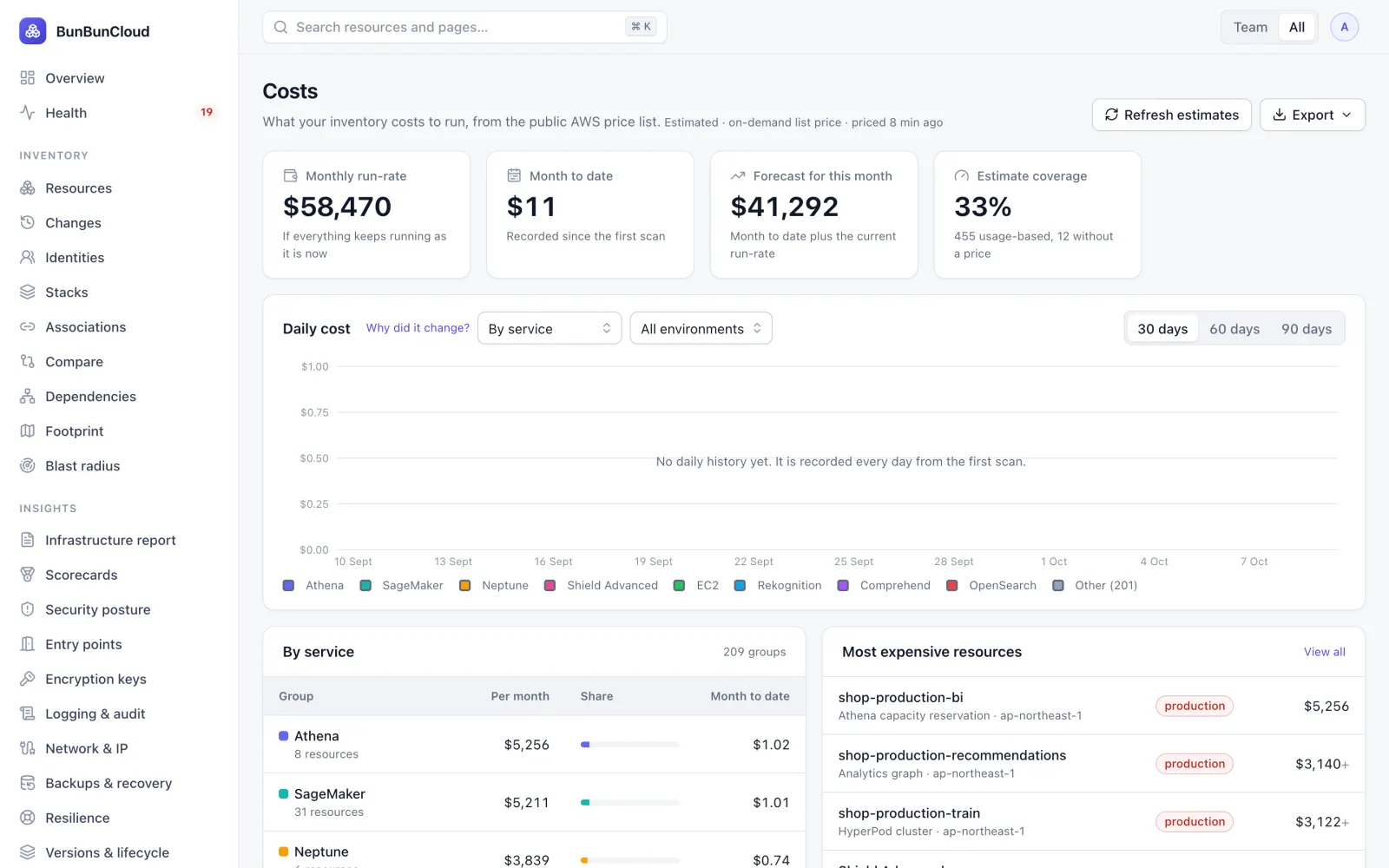
The estimated running cost of every resource, and where to save. Estimates come from the public AWS price list with your discount applied; usage-based charges are labelled, never shown as zero.
- Run-rate by resource, service, team, environment, stack or tag
- Savings ranked by amount, with the effort and risk of each
- Budgets and forecasts, alongside the AWS Budgets in your accounts
Built for the teams that share the infrastructure
Infrastructure report
A one-page summary to print or share: resources, health, drift, top costs and savings, with names masked if you want.
Scorecards
A score per team and stack for security, backups, single points of failure, tagging, logging, cost hygiene and health, with a 12-week trend.
Team ownership
Each team selects its accounts, services and stacks; ownership, costs and alerts follow. Resources nobody owns are listed, and IAM identities with their key ages and last use.
Showback
Estimated cost per team for the run-rate, this month or last month, with shared resources split.
Idle & orphaned
Unattached volumes, unused addresses, long-stopped instances and other leftovers, with their age, owner and monthly cost.
Commitments & quotas
How much of the on-demand run-rate reservations and Savings Plans cover, and which service quotas are close to their limit.
Resilience & backups
Single points of failure in production, and data with no backup.
Monitoring per team
Monitors, SLOs and incidents from CloudWatch, Datadog, Grafana and other tools, consolidated by team.
Alerts, tasks & expiry
Failing health, budgets and findings to Slack, Teams and more; tasks in Jira, ClickUp, Asana or Trello; certificates, domains and keys coming due.
Complements your monitoring and cost tools
Application monitoring tells you a service is slow. Cost tools tell you the bill went up. BunBunCloud shows the infrastructure underneath both: what exists, how it is wired, which part is unhealthy and how each environment differs.
It reads your existing monitoring tools rather than replacing them, and needs no agents alongside the ones you already run.
Know your AWS infrastructure in 10 minutes
Connect a read-only role. Get the infrastructure report: what you run, what is unhealthy, where environments differ and what it costs. Free, no commitment.