When the console is not enough
Four moments when teams reach for BunBunCloud.
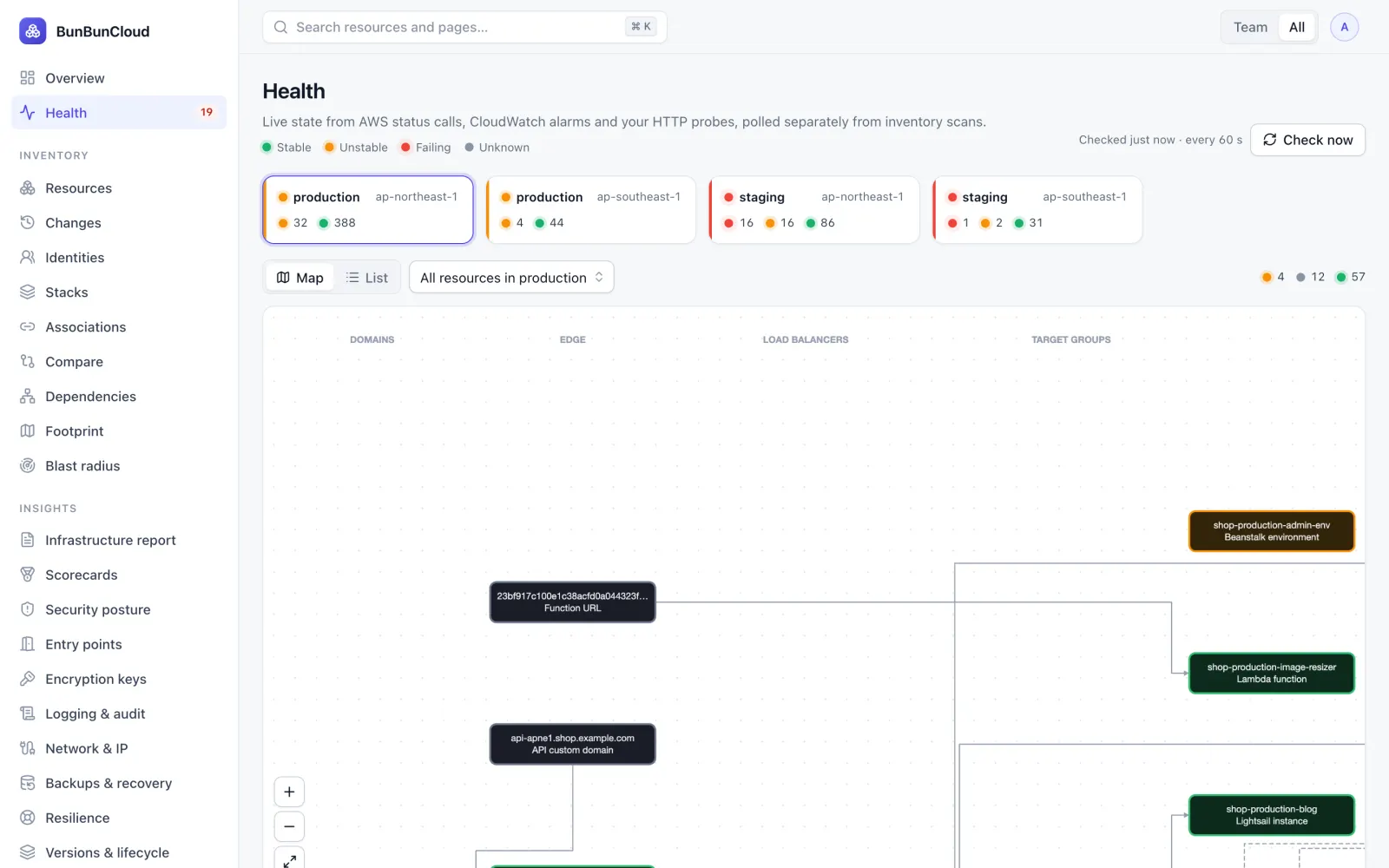
Production API latency just went up. Where do you look?
Open the request path: CloudFront, load balancer, target group, ECS service, database. The unhealthy component is highlighted, with the alarm or status behind it, so the first ten minutes go to the right place instead of to console tabs.
- Health from AWS status, CloudWatch alarms and your probes, every minute
- What changed recently on the resources in the path
- Who owns each component, and its monitors and runbooks
“How does production work?”
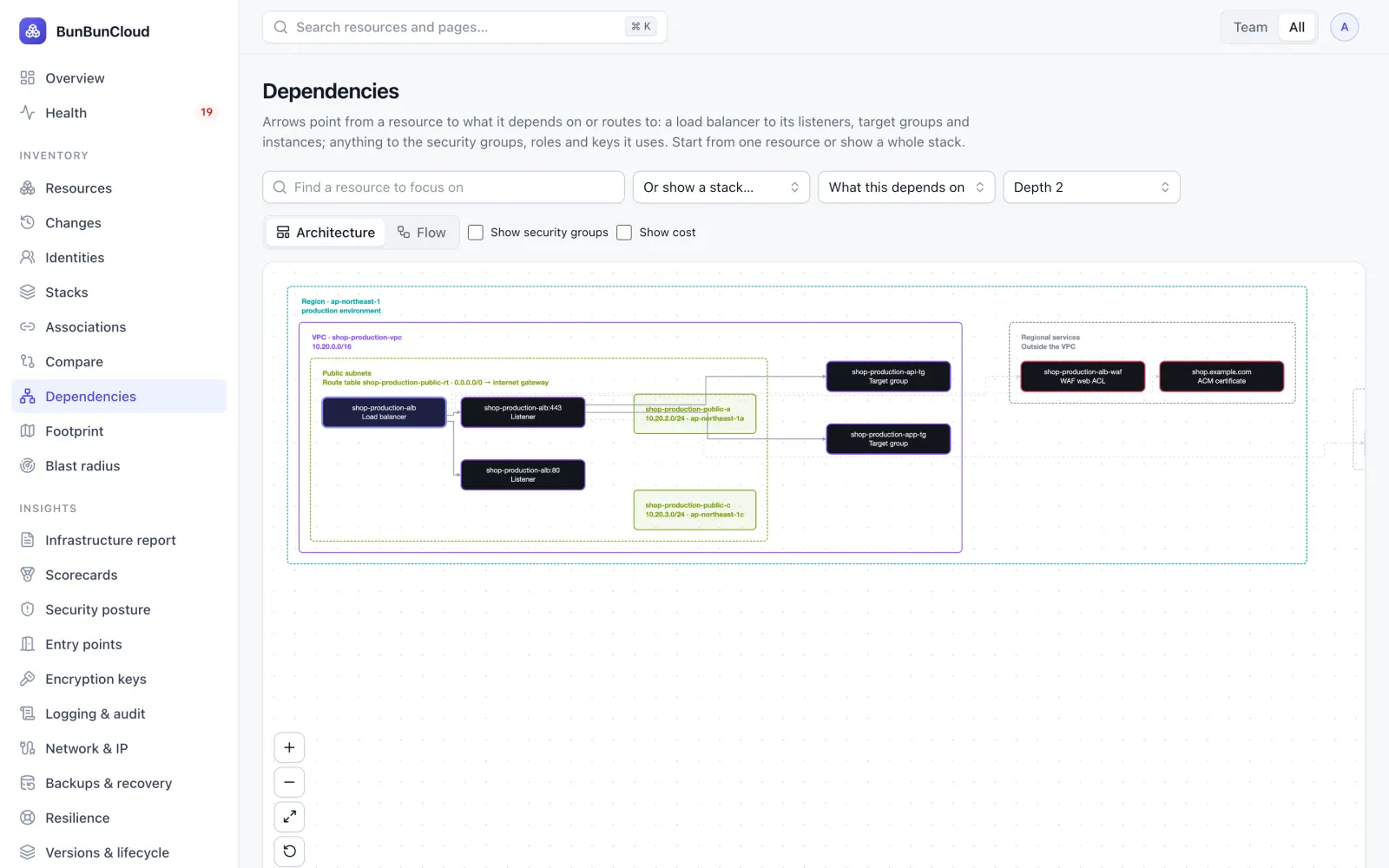
A new SRE joins and gets sent Terraform, Confluence pages, old diagrams and Slack threads. Instead, show them the infrastructure that is actually running, and how the components depend on each other, drawn from the accounts themselves.
- Always current: redrawn after every scan
- Start from one resource, or show a whole stack
- Each team sees its own slice first
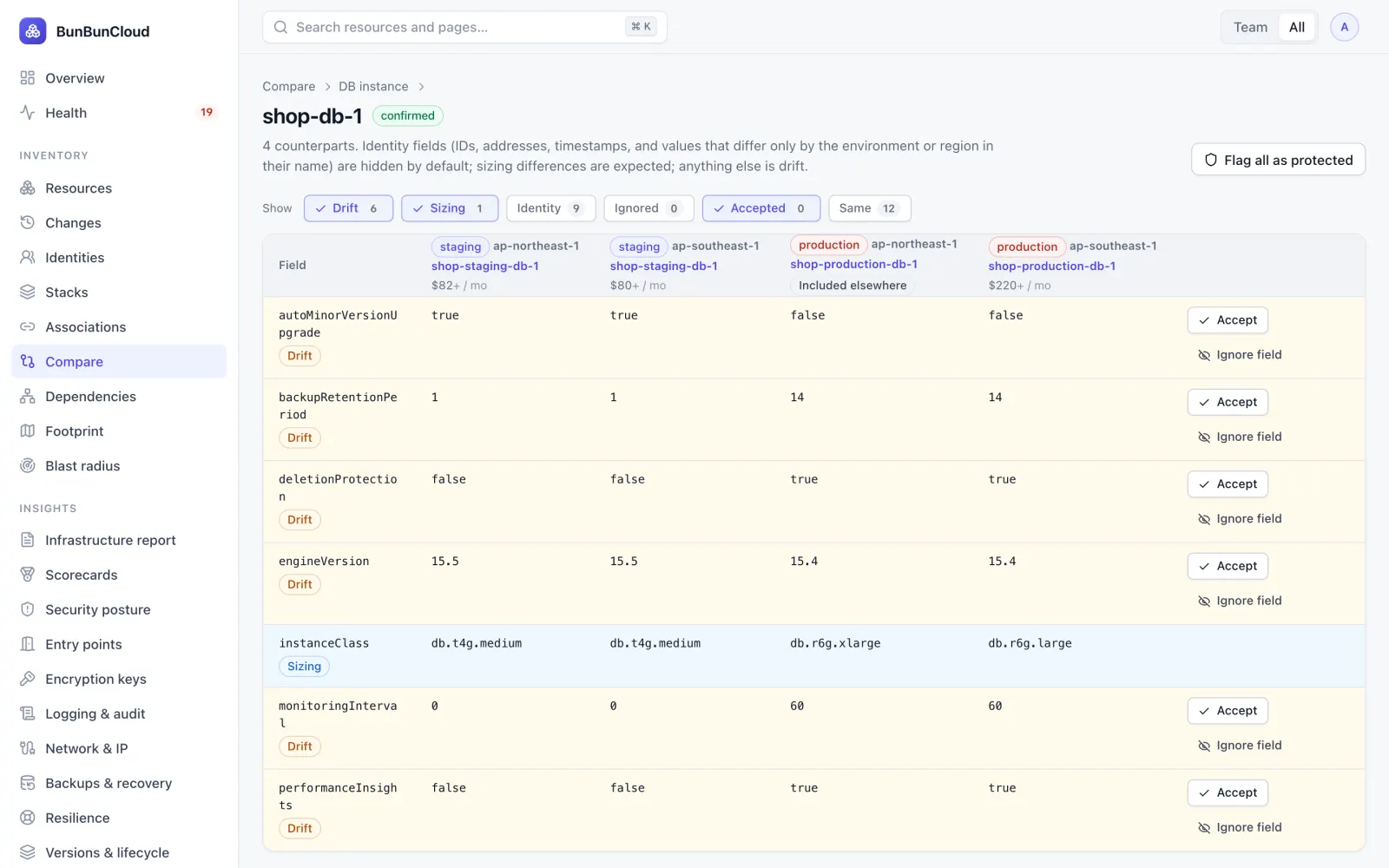
Staging passed. Production failed.
Staging and production drift apart one console change at a time. See, per resource, which fields differ: engine versions, backup retention, deletion protection, monitoring, Multi-AZ. Accept the differences you intend, and catch the ones you do not.
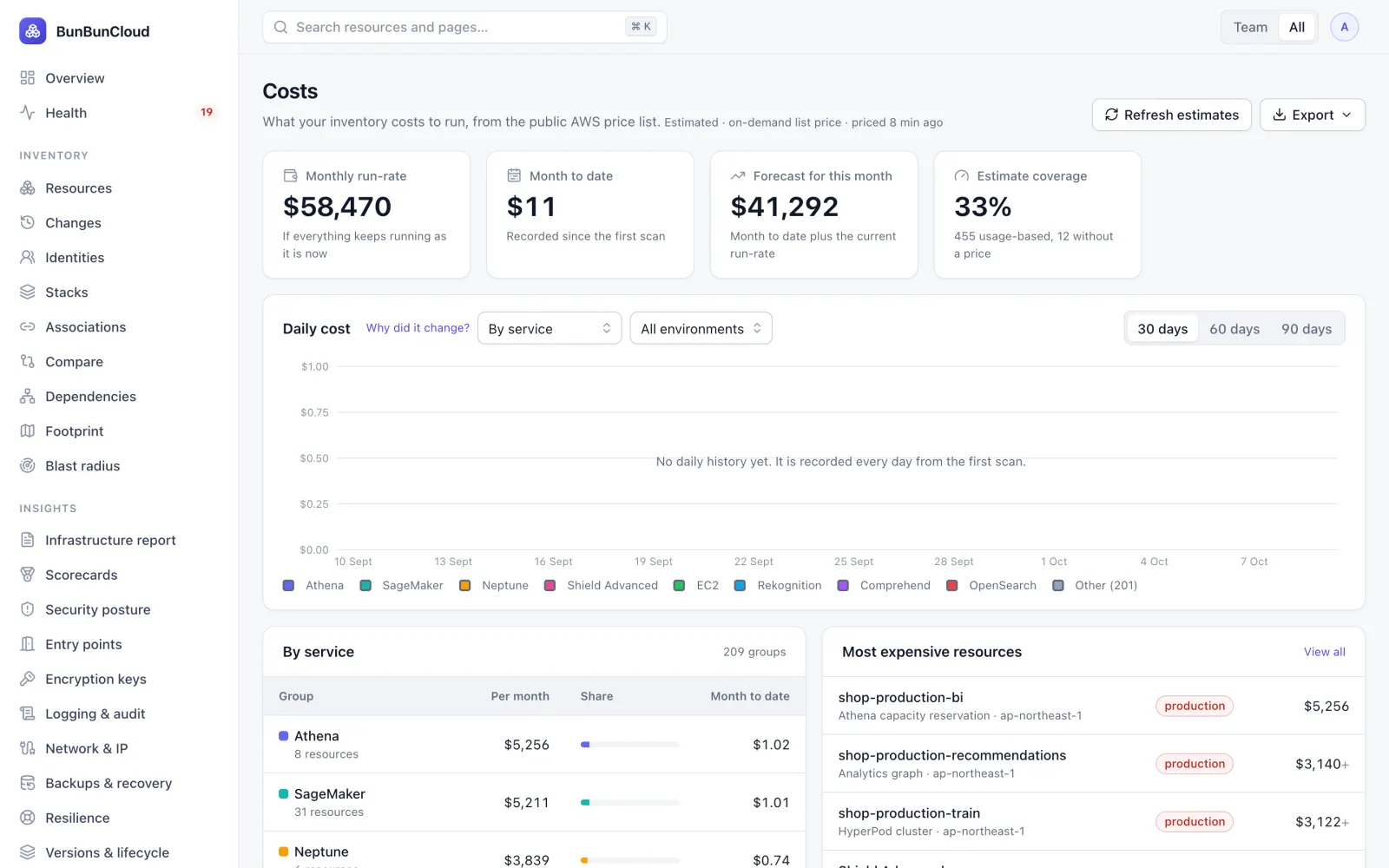
“Why did AWS cost more this month?”
See the estimated run-rate of every resource, grouped by service, team, environment or tag, what changed, and which savings are safe to take. Estimates use the public AWS price list, so they work from day one without billing access.
What each team gets from the same inventory
Pick your role for its challenges, how BunBunCloud answers them, and the plan that fits.
CTO / VP Engineering
How much infrastructure are we carrying, what does it cost, and where is the risk?
See how BunBunCloud helpsPlatform & SRE leads
What exists, what depends on what, what is unhealthy, and what changed?
See how BunBunCloud helpsSecurity
What is exposed, unencrypted or over-privileged? Is everything logged?
See how BunBunCloud helpsFinOps & finance
Why did AWS cost more this month? Who is spending it? What can we turn off?
See how BunBunCloud helpsEngineering managers & developers
What does my service depend on, what did my change break, and who owns this?
See how BunBunCloud helpsConsultants & MSPs
How do I understand a client’s AWS in the first meeting, without write access?
See how BunBunCloud helpsCompliance & audit
Is it logged, encrypted and backed up? Who changed what, and when?
See how BunBunCloud helpsKnow your AWS infrastructure in 10 minutes
Connect a read-only role. Get the infrastructure report: what you run, what is unhealthy, where environments differ and what it costs. Free, no commitment.